

PF Withdrawal – How to Withdraw PF Amount Online - 2026 India
PF Withdrawal – How to Withdraw PF Amount Online
Table of Contents
- PF Withdrawal – How to Withdraw PF Amount Online
- Key Points at a Glance
- Ways to Withdraw PF Amount
- PF Withdrawal Through Physical Application
- PF Withdrawal Through Online Application
- Conditions for Online PF Withdrawal
- PF Withdrawal Limit
- Steps to Apply for PF Withdrawal Online
- PF Withdrawal Without UAN
- Tax on PF Withdrawal
- Documents Required for PF Withdrawal
- How to Check PF Withdrawal Status
- Links for your reference
- EPFO Customer Support Details
- Which are the Forms used for EPF Withdrawal and How File?
The Employees’ Provident Fund Organisation (EPFO) allows members to withdraw their Provident Fund (PF) balance at retirement. Members can also withdraw earlier in cases such as unemployment or urgent need.
If KYC is complete, members can apply online through the UAN Member e-Sewa portal. This removes the need for physical forms.
EPFO 3.0 brings simpler rules and gives members more control over withdrawals.
CA Mitesh and Associates is India's leading CA Firm Firm with special focus on accurate NRI Income Tax Return filing , Handling Income Tax Notices and PF Withdrawals in India. Contact us via WhatsApp: Click Here or Email: info@mnpartners.in
Key Points at a Glance
You can withdraw PF online through the UAN portal.
For offline claims, use the Composite Claim Form (Aadhaar) when UAN is KYC compliant.
If UAN is not KYC compliant, use the Composite Claim Form (Non-Aadhaar).
EPF rules for 2025 allow withdrawal of up to 90% for housing after three years of service under Para 68-BD.
Ways to Withdraw PF Amount
You can withdraw PF using one of the following methods:
Physical application
Online application
PF Withdrawal Through Physical Application
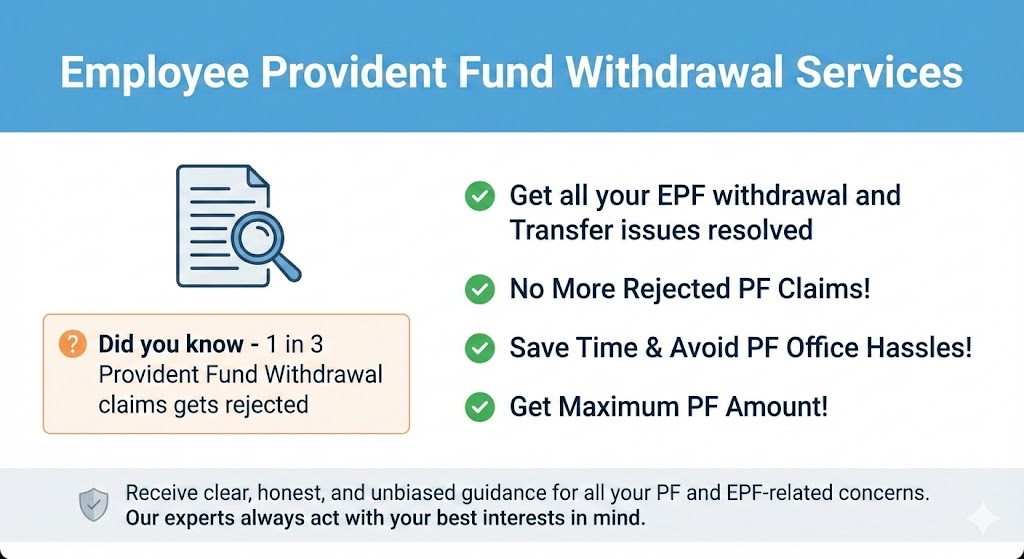
To withdraw PF offline, download the Composite Claim Form (Aadhaar) or Composite Claim Form (Non-Aadhaar).
Composite Claim Form (Aadhaar)
Use this form when:
Your Aadhaar and bank details are linked to your UAN
Your UAN is active
Submit the completed form to the relevant EPFO office.
Employer attestation is not required.
Composite Claim Form (Non-Aadhaar)
Use this form when:
Aadhaar or bank details are not linked to UAN
Submit the form to the EPFO office with employer attestation.
For partial PF withdrawals, employees no longer need multiple certificates.
Self-certification is enough, as per the EPFO order dated 20 February 2017.
PF Withdrawal Through Online Application
EPFO offers an online withdrawal facility through the UAN portal.
The number of steps has reduced from 27 to 18 and may reduce further.
If your UAN is Aadhaar-verified and KYC is complete, you do not need employer approval.
You can also update personal details such as name, date of birth, gender, and marital status online.
Some errors may still require help from the EPFO office.
CA Mitesh and Associates is India's leading CA Firm Firm with special focus on accurate NRI Income Tax Return filing , Handling Income Tax Notices and PF Withdrawals in India. Contact us via WhatsApp: Click Here or Email: info@mnpartners.in
Conditions for Online PF Withdrawal
Before applying online, make sure the following conditions are met:
Your UAN is active
Your registered mobile number is working
Your UAN is linked with Aadhaar, PAN, bank account, and IFSC code
When these conditions are met, employer attestation is not required.
PF Withdrawal Limit
There is no fixed limit on PF withdrawal.
You may withdraw the full amount or a part of it, based on eligibility.
Complete PF Withdrawal
You can withdraw the full PF balance only in cases of retirement or unemployment.
You can withdraw 75% of the balance after unemployment
You can withdraw the remaining 25% after 12 months
Pension withdrawal is allowed only after 36 months of unemployment.
| Condition | Withdrawal Limit |
|---|---|
| Unemployment | 75% immediately, 25% after 12 months |
| Pension | After 36 months |
Note:
To withdraw the full PF balance, you must remain unemployed for at least two months.
If you are between jobs, you cannot withdraw the full amount.
CA Mitesh and Associates is India's leading CA Firm Firm with special focus on accurate NRI Income Tax Return filing , Handling Income Tax Notices and PF Withdrawals in India. Contact us via WhatsApp: Click Here or Email: info@mnpartners.in
Partial Withdrawal
Partial EPF withdrawal is allowed only for specific reasons, and each has a set limit. The details are explained below:
Purpose of Withdrawal | Withdrawal Limit | Minimum Service Required | Other Conditions |
| Medical | 6 months' basic wages and DA or, Employee share with interest, Whichever is least | 12 months | For the treatment of self/ family |
Education | Up to 10 withdrawals | 12 months | Expenses incurred for the education of children post-matriculation |
Marriage | Up to 5 withdrawals | 12 months | Marriage of self/ son/ daughter/brother/sister |
Land Purchase or Purchase/ construction of a new house or EMI Repayment | EPF members can withdraw up to 90% of their corpus lying in their EPF account. | 12 months | Land or house to be purchased should be under the name of the member, spouse, or owned jointly with the spouse |
Home renovation | 12 times of a member’s monthly wages with dearness allowance, or the employee’s share with interest, or cost, whichever is least | 12 months |
|
Before retirement | 90% of the accumulated corpus with interest | After an individual reaches 54 years of age and within one year of retirement/ superannuation whichever is later | To cover their financial expenses |
Special cases:
| 100% employee share with interest | 12 months | The reason for not receiving compensation can be anything other than a strike |
Steps to Apply for PF Withdrawal Online
Step 1: Visit the UAN Member e-Sewa portal.
Step 2: Log in using your UAN and password. Enter the captcha and click Sign In.
Step 3: Open the Manage tab and select KYC. Check whether Aadhaar, PAN, and bank details are verified.
Step 4: Go to Online Services and select Claim (Form-31, 19, 10C & 10D).
Step 5: Verify your bank account number shown on the screen.
Step 6: Accept the undertaking and continue.
Step 7: Click Proceed for Online Claim.
Step 8: Choose the claim type under I Want To Apply For.
Options appear only if you meet eligibility rules.
Step 9: Select PF Advance (Form 31). Enter the reason, amount, and address.
Step 10: Submit the claim. Upload documents if asked.
PF Withdrawal Without UAN
If you do not have a UAN:
Fill the PF withdrawal form
Submit it to the Regional Provident Fund Office
You can find your PF office using the PF account number shown on your salary slip.
You must follow the older process.
You also need identity attestation from a bank manager, magistrate, or gazetted officer.
Tax on PF Withdrawal
PF withdrawal is tax-free if you have contributed for five continuous years.
If there is a break in service and PF is not transferred, the withdrawal becomes taxable.
TDS applies when:
Withdrawal happens before five years
Amount exceeds ₹50,000
Documents Required for PF Withdrawal
You need the following documents:
Universal Account Number (UAN)
Bank account details
Identity and address proof
Cancelled cheque with IFSC and account number
For KYC-verified UANs, EPFO has removed the need to upload cheque images or attested passbooks in some cases.
A cancelled cheque is not required when Aadhaar and bank details are verified.
How to Check PF Withdrawal Status
After submitting your claim, follow these steps:
Step 1: Log in to the UAN portal.
Step 2: Open Online Services and select Track Claim Status.
Step 3: Enter the reference number.
Step 4: View the claim status on the screen.
Links for your reference
EPFO Customer Support Details
Toll-free number: 14470
Missed call number: 9966044425
PF balance SMS: Send
EPFOHO UANto 7738299899
CA Mitesh and Associates is India's leading CA Firm Firm with special focus on accurate NRI Income Tax Return filing , Handling Income Tax Notices and PF Withdrawals in India. Contact us via WhatsApp: Click Here or Email: info@mnpartners.in
Which are the Forms used for EPF Withdrawal and How File?
| Form | Purpose | How to Fill (Online) | How to Fill (Offline) |
| Form 19 | Final settlement of EPF (full withdrawal) | 1. Visit EPFO website 2. Log in with UAN, password, captcha 3. Click ‘Online Services’ > ‘Claim (Form-31, 19, 10C, 10D)’ 4. Enter & verify bank account number 5. Select ‘Only PF Withdrawal (Form – 19)’ 6. Enter permanent address 7. Tick disclaimer, get Aadhaar OTP, submit form 8. Receive reference number | 1. Download Form 19 from EPFO portal 2. Fill in details: PF account number, PAN, bank details, joining & exit dates, address, etc. 3. Paste Rs 1 revenue stamp 4. Attach cancelled cheque 5. Submit to EPFO office |
| Form 31 | Partial withdrawal or advance from EPF | 1. Log in at EPFO portal with UAN, password 2. Go to ‘Online Services’ > ‘Claim’ 3. Verify details (name, DOB, PAN, Aadhaar, etc.) 4. Click ‘Proceed for Online Claim’ 5. Select ‘PF Advance (Form 31)’ 6. Choose withdrawal reason, enter address & amount 7. Tick disclaimer, get & verify Aadhaar OTP, submit | Not typically done offline anymore. Online submission is the recommended method as offline options are mostly phased out. |
| Form 10C | Withdrawal or transfer of EPS (Pension) | 1. Log in to EPFO portal with UAN & password 2. Go to ‘Online Services’ > ‘Claim’ 3. Verify service history, KYC, and member details 4. Click ‘Proceed Online Claim’ 5. Enter bank account last 4 digits, verify 6. Select ‘Only Pension Withdrawal (Form 10C)’ 7. Fill permanent address, tick disclaimer 8. Click ‘Get Aadhaar OTP’, validate OTP and submit 9. Receive SMS confirmation | Offline Form 10C can be downloaded and filled, but EPFO strongly encourages online submission. Attach supporting documents if submitting offline at EPFO office. |
DISCLAIMER

CMS Meta
Comments